Déclic · Guides · AI video & voice
Review
Kling AI free: what the free tier gives you and what it does not
Ad: this page contains affiliate links. If you sign up through them, Déclic earns a commission at no extra cost to you. Our opinions are our own.
In brief
Kling AI does have a free way in, but it is a sample rather than a free service. According to Kling's own membership page (October 2026), people without a subscription claim free credits once a month when they sign in, and those credits last 31 days. The amount is not shown publicly, so the figures you see quoted on blogs cannot be checked against the publisher. Removing the watermark and using the output commercially are reserved for paying members. Kling's terms matter more than the credit count: they say you own the content you create, require a visible "Kling AI" mention unless you have written permission, grant Kling a licence over your uploads and outputs, and bar commercial use of the output without written authorisation.
Who it suits: curious beginners who want to try realistic text-to-video or image-to-video on a few clips before deciding whether to pay. Who it does not suit: anyone who needs watermark-free, commercially cleared videos, or who is not comfortable with the licence they grant over their uploads.
Is Kling AI free or paid?
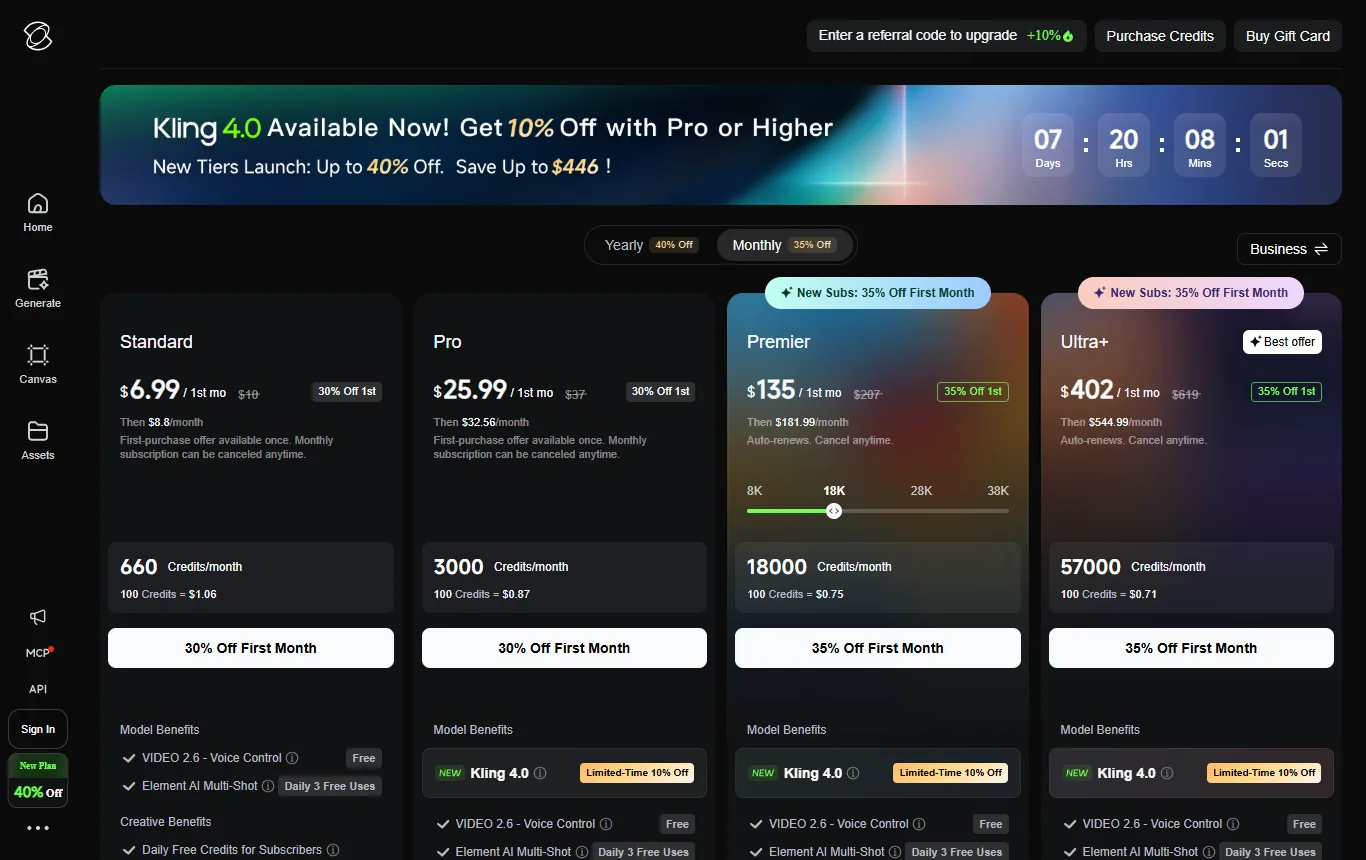
Both, in the sense that there is a free entry and paid memberships above it. The membership page shows a "Basic" plan at no charge, and paid plans from "Standard" upwards. Kling's homepage promotes a Kling 4.0 video model and a Kling Image 3.0 model, with buttons that take you straight into the app. You can read the plans and the FAQ without signing in, which is the right place to start before you register on Kling.
Think of the free tier as a permanent sampling area: enough to judge whether the model understands your idea, not enough to run a channel or a client project.
How many free credits does Kling AI give per month?
Kling's FAQ says non-subscribers claim free monthly credits when they sign in, valid for 31 days. It does not give the amount. Two common claims are wrong or unverifiable:
- "Free credits every day." Daily bonus credits are reserved for subscribers and expire at midnight on the day they are granted. A free account gets a monthly allowance, not a daily one.
- "66 credits." That figure circulates on third-party blogs but does not appear on the official page. Treat it as a rumour until you see your own balance.
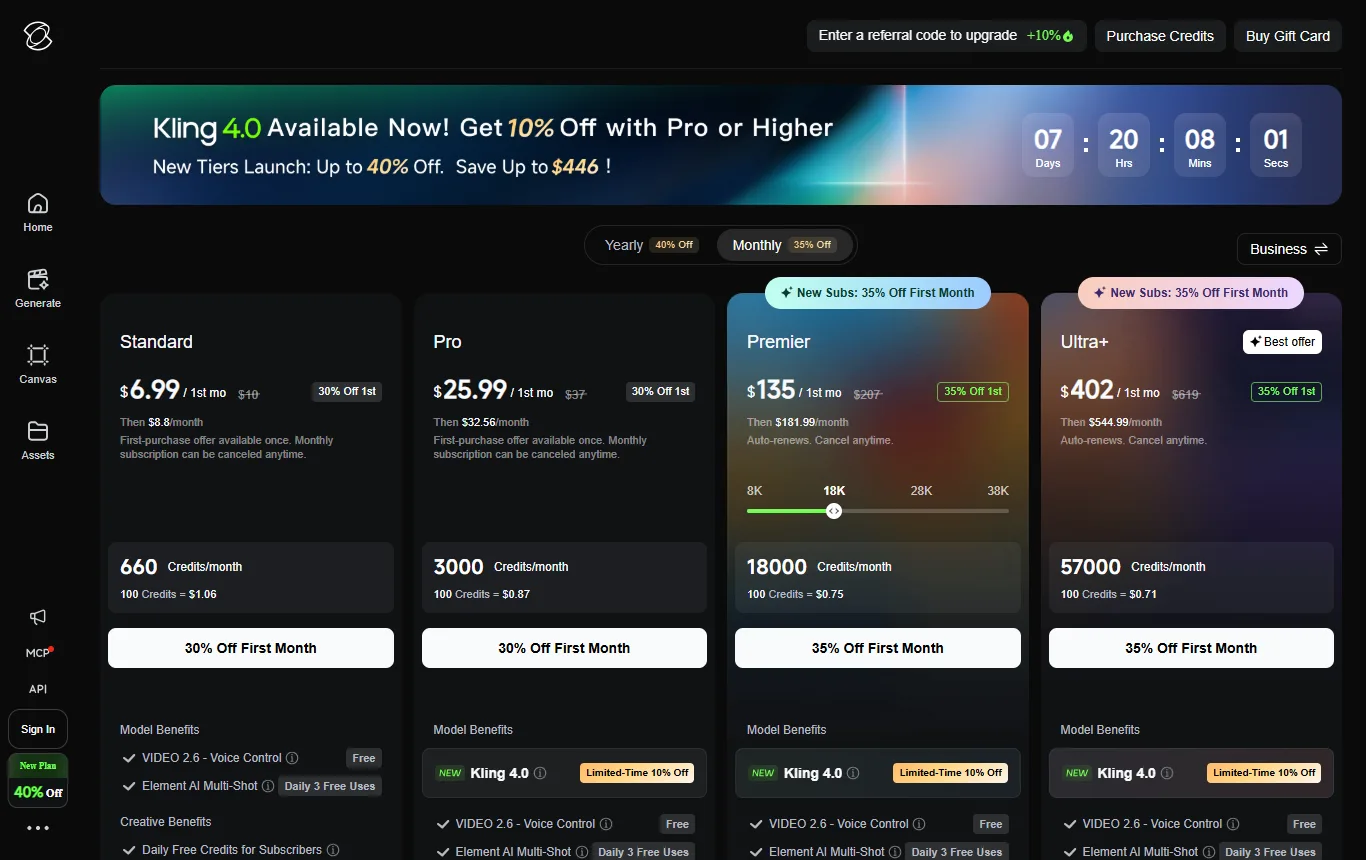
Other rules on the page are worth knowing. Credits granted with a monthly subscription are valid for 31 days and are lost when the subscription ends, while credits bought on their own last two years. The cost of a generation depends on the number of outputs, the model, the duration and the resolution, and it is deducted automatically.
How can you find out your real free allowance?
A repeatable test takes ten minutes and costs only free credits.
- Note your credit balance and the date before you start.
- Generate one short clip and note the balance again, so you know what a clip costs.
- Return the next day and the next week and note whether the balance changed.
- Write the numbers down. That is your allowance, in the only form that is reliable.
If the balance does not move between visits, you have confirmed that the allowance is monthly. Plan your experiments around that rhythm, and do not spend everything on the first afternoon.
Does the free tier add a watermark, and what resolution do you get?
The membership page reserves watermark removal for paying members, so a free export should be expected to carry the Kling watermark. The page does not state a free resolution, and blogs that quote one are not reliable; open the export settings in your account before you generate and read what is offered. For a final video you plan to publish, a watermark means the free tier is a preview. For judging whether the model understands your idea, it is enough.
Kling does not say on its membership page whether failed generations still consume credits, so run one cheap, short generation before you commit a prompt that took an hour to write.
Can you use Kling AI free videos commercially?
No, not without written permission. The membership page reserves commercial use for paying members, and the terms of service (section 4.6) say that without written authorisation from Kling you cannot use, reproduce, distribute or modify the output for commercial purposes. Paid plans come with their own terms, which are separate from the general ones, and the page adds that a paid plan may not be used to build a product that competes with Kling.
"Commercial" is broader than people expect. A video on a business social-media account, an advert, a client's project or content on a monetised channel are all cases where you should assume you need a paid plan and written confirmation of the rights. If in doubt, ask Kling's support and keep the reply.
What do Kling's Terms of Use say about your content?
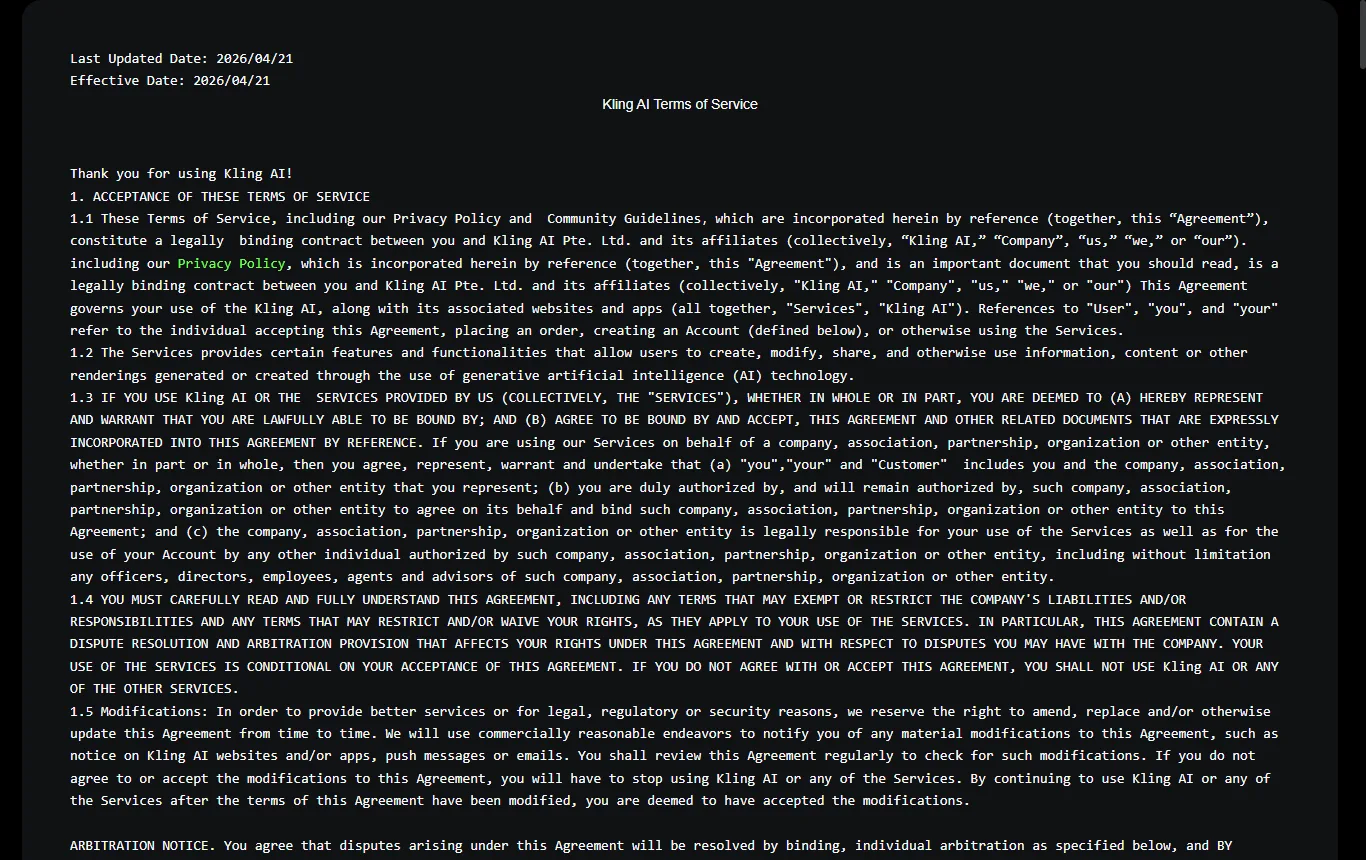
The terms at kling.ai/docs/user-policy (updated April 2026) set out the following points that matter to a UK user:
- Ownership (section 4.4). The terms say you own the intellectual property rights in the content under applicable law, and that Kling does not claim ownership of it.
- A mention of Kling (section 4.5). Unless you have written authorisation, when you use or share generated content you must display the "Kling AI" mark or state visibly that the output was generated by Kling AI.
- Commercial use (section 4.6). Commercial use of the output needs written authorisation from Kling, even though you hold rights in the content.
- Licence to Kling (section 4.7). You grant Kling a non-exclusive, royalty-free licence to host, reproduce, modify for display, create derivative works from and distribute your inputs and outputs. Kling may use content for promotion, to improve its features and to research new ones, and you can withdraw the authorisation by emailing its support address.
- Training other models (section 3.1). You may not use outputs to train AI models of your own.
- Prohibited content. The terms ban, among other things, defamatory or obscene material and material that would constitute or encourage a criminal offence.
- Age. People under 13, or under the local minimum age, cannot use the service, and those under the age of majority need a parent or guardian's representation.
- Deleting your account. You can delete your account at any time, but afterwards you cannot reactivate it or recover any content.
- Disputes. Singapore law applies and disputes go to arbitration in Singapore, conducted in English, on an individual basis.
- Data location. The terms do not say where data is stored. They refer to a separate privacy policy, which is the document to read before you upload anything.
The practical advice is simple: do not upload anything you would not be comfortable having processed under these terms.
Is it safe to upload photos of other people?
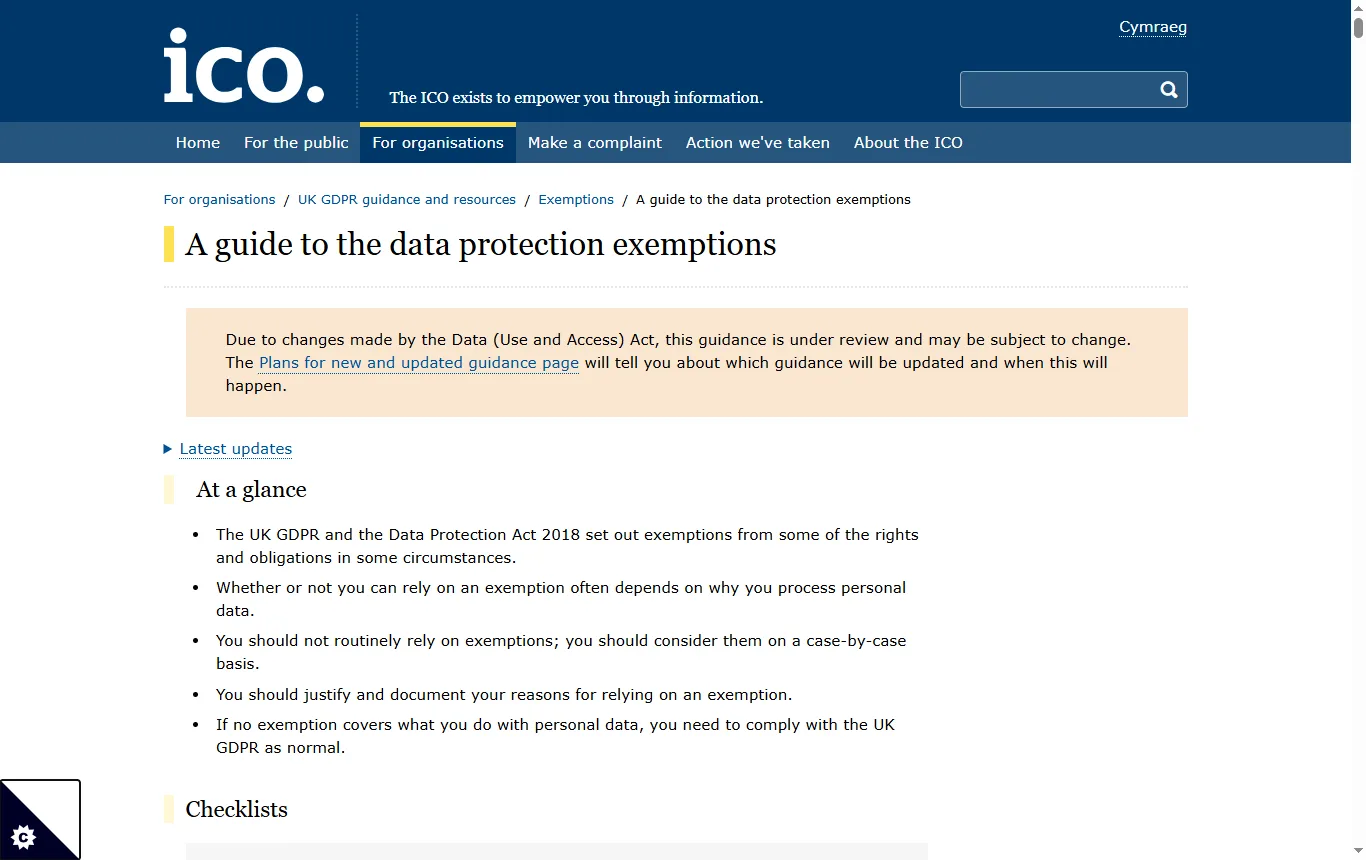
Think about this before using image-to-video. For purely personal use, the ICO says personal data processed in the course of a purely personal or household activity, such as taking pictures for your own enjoyment, falls outside the UK GDPR (ICO guide to the data protection exemptions). That does not make everything allowed. Posting a clip publicly, using it commercially or using a photo of a child raises other questions, and the platform's own licence applies to whatever you upload. For a step-by-step method that puts consent first, see how to animate a photo with AI for free →.
There is also a criminal line. Section 138 of the Data (Use and Access) Act 2025 created offences of intentionally creating, or requesting, a purported intimate image of an adult without consent and without reasonable belief in consent, in force from 6 February 2026 according to legislation.gov.uk. Never use a tool like Kling for that purpose.
What about "Kling AI free unlimited" and "MOD" versions?
Some of the related searches are for unlimited free access or modified ("MOD") versions of the app. None of them is linked or described here. A modified app is not published by Kling, it bypasses the publisher's controls and it puts your account and device at risk, and Kling's pages do not advertise unlimited free generation. Several search results for this topic are other domains than kling.ai, so check the address before you sign in. If you want more output, the legitimate routes are to wait for your next monthly credits or to look at a paid membership.
How do you make a small credit allowance go further?
A few habits help on any credit-based generator.
- Write the prompt before you open the tool. Name the subject, the movement and the camera in two sentences, and keep a copy.
- Generate short, then long. Duration and resolution drive the cost, so judge the idea on the cheapest setting first.
- Change one thing at a time. If you alter the prompt, the image and the duration together, you cannot tell what improved the result.
- Start from a clear image. For image-to-video, a sharp photo with a clear subject gives the model more to work with.
- Keep a log. Note the balance, the settings and the outcome of each attempt, so that you can see what a usable clip costs you.
What does the Kling AI free tier suit, and what are the alternatives?
Use it to test the model on a handful of prompts, to compare it with another tool and to decide whether the output style suits your project. Move on if you need clean exports, predictable queues or commercial rights.
Two other tools in the catalogue animate images or text into short clips: DeeVid AI and PixVerse. DeeVid's pricing page lists 20 free credits on registration and a watermark on free exports. PixVerse's free plan gives 60 credits at the start and 30 a day, at up to 540P, with a watermark. Our comparison of the best AI video generators → sets them side by side.
Which kinds of project suit the free tier?
The monthly allowance is small and the terms are restrictive, so match the tool to the job.
- A hobbyist testing an idea. A few short clips, kept for yourself, are a good fit. The watermark does not matter if nobody else will see the result.
- A shop owner curious about product clips. Use the free allowance to see whether the model respects your product's shape and label, then decide on a paid plan before anything goes on a product page.
- A student or portfolio builder. Personal projects are fine to experiment with, but a visible Kling mention is expected unless you hold written permission, so plan how to credit the tool.
- A freelancer working for a client. The free tier is not the place to start. Client work needs commercial rights in writing, so begin with the paid terms instead.
- A parent animating family pictures. Keep the results private, think twice before uploading photos of children, and read the privacy policy first.
How do you cancel a Kling subscription?
According to the FAQ on the membership page, the route depends on where you subscribed. For a subscription taken on an iPhone, cancel through your Apple ID subscriptions; on Android, through Google Play's payments and subscriptions. For a subscription bought on the web, with payment through Stripe, open your profile, choose "Manage Plan" and cancel from there. When a subscription ends, unused monthly credits are lost, while credits bought separately and still valid remain usable. Cancel before a renewal date rather than after it.
What should you check before you pay for Kling?
- The credit cost of the clip length and quality you actually need, measured in your own account.
- Whether paid output removes the watermark and grants commercial rights, in the publisher's own words, including the separate terms of paid service.
- How credits expire: 31 days for monthly credits, two years for credits bought on their own.
- How to cancel, and whether the subscription renews automatically.
- What the privacy policy says about uploads, storage and deletion.
- Whether you will need to display the "Kling AI" mention on what you publish.
When you have a clip you like, you will probably want to trim it and add captions; our Filmora review → looks at an editor for that.
Not sure? Tell us what you want to animate
Frequently asked questions
Is Kling AI free?
There is a free way in: non-subscribers claim free credits each month when they sign in. It is a sample of the service rather than a full free plan, and watermark removal and commercial use are for paying members.
How many free credits does Kling AI give per month?
The official page does not show the amount. The credits are claimed monthly on login and last 31 days. Check the balance in your own account.
Is there a Kling AI free image-to-video mode?
Kling's homepage presents the app as a video and image generator. Confirm in your account which modes the free allowance unlocks.
Can I use Kling AI videos commercially?
Not on the free tier. Kling's terms bar commercial use of the output without written authorisation, and the membership page reserves commercial use for paying members. Get the rights in writing before you publish a client or business video.
Can you get Kling AI free unlimited or a MOD version?
Treat any such offer as unofficial. Modified apps are not published by Kling and put your account and device at risk.
What are the downsides of the free tier?
A modest monthly allowance of undisclosed size, a watermark, no commercial use, a "Kling AI" mention to display without permission and a licence that lets Kling use your uploads and outputs.