Déclic · Guides · AI video & voice
Review
Filmora review: the free version, the plans and what to check
Ad: this page contains affiliate links. If you buy or sign up through them, Déclic earns a commission at no extra cost to you. Our opinions are our own.
In brief
Filmora is a desktop video editor for Windows and Mac with companion mobile apps and a long list of built-in AI tools, aimed at beginners and casual creators. You can use the free version, but the official site states that videos exported from it carry a Filmora watermark, so "free" means "free to try". Paid plans on the pricing page (October 2026) are annual subscriptions that renew automatically and a one-time perpetual licence whose updates cover only Filmora 16. Reviews on Trustpilot UK praise the interface and complain mostly about billing, renewals and refunds, so the best way to protect yourself is to read the plan terms before you pay and set a reminder before any renewal.
Who it suits: beginners and hobby creators who want a friendly editor with templates, effects and AI helpers, and who plan to pay once they are sure. Who it does not suit: anyone who needs a watermark-free export without paying, or who wants a fully free editor with no strings.
Visit Filmora ↗ Affiliate link
Is Filmora free?
There is a free version, with a watermark. Wondershare's Filmora homepage (October 2026, showing Filmora 16) says: "Videos exported from the free version include a Filmora watermark." Paid plans export without it. The page lists support for Windows and macOS on the desktop and apps for iOS, iPadOS and Android.
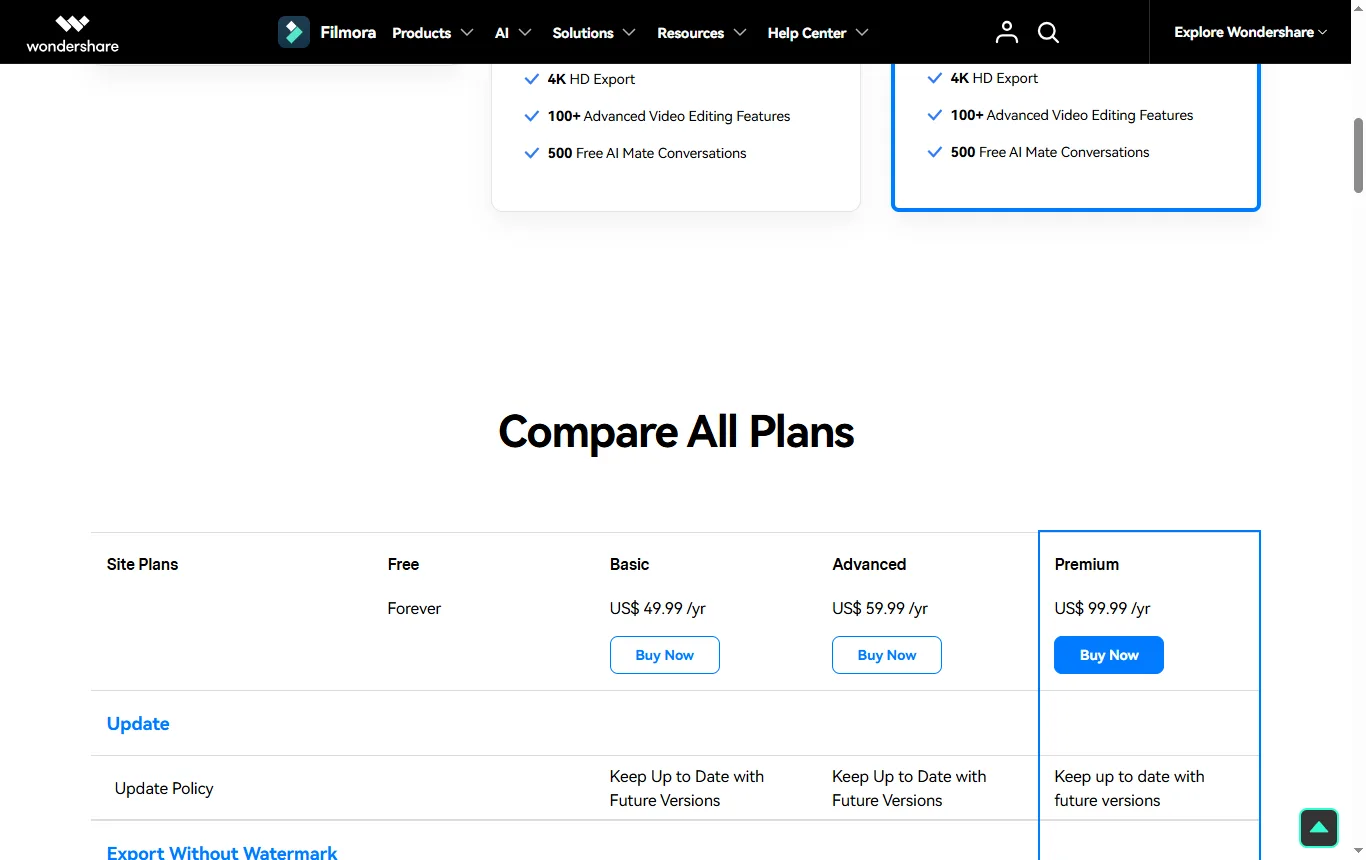
The pricing page adds further limits. Its comparison table has a "Free Forever" column that shows no duration limit, and in that column the watermark-free export is missing. It is ticked only for the paid plans.
| Point | Free edition | Paid plans |
|---|---|---|
| Watermark-free export | Not included | Included |
| Effects, transitions and stock media | About 1,500 effects, 1,200 transitions and 600 stock media items | About 18,000 effects, 11,000 transitions and over a million stock media items |
| Cloud storage | None | 1 GB on Basic, 10 GB on Advanced |
| AI features | Paid for in AI credits; no monthly credits listed for the free edition | Monthly credits on the paid plans |
| AI Mate assistant | Limited to 15 uses a day | 500 uses a month |
| Timeline editing, keyframes, motion tracking, colour tools | Ticked as included | Included |
These figures come from the pricing page in its French-language version, so check the numbers on the page you see on the day you buy. A trial of the Creative Assets library is also mentioned; read how it renews before you start it.
So there are three different things that can all be called "free": the free version of the software (limited, watermarked), a trial of the asset library and a refund period. Do not mix them up when you sign up.
What plans does Filmora offer?
The pricing page (filmora.wondershare.com, October 2026) lists three kinds of licence. No prices are copied here.
| Plan | How it works | What the page says it includes |
|---|---|---|
| Basic (annual subscription) | Auto-renews, can be cancelled at any time | 1 GB cloud storage, a large library of creative assets, 4K export, no-watermark export, 500 free AI Mate conversations |
| Advanced (annual subscription) | Auto-renews, can be cancelled at any time | Everything in Basic, plus 10 GB cloud storage and 1,000 AI credits per month covering 20 or more AI features |
| Perpetual (one-time payment) | Pay once for Filmora 16 | 1,000 one-time AI credits, 1 GB cloud storage, 4K export, no-watermark export; updates cover only Filmora 16, not future major versions |
Licence conditions matter. Basic and Advanced licences work on both Windows and Mac, are single-user and cannot be transferred or shared. Perpetual licences are tied to a platform: a Windows licence works only on Windows and a Mac licence only on Mac. Neither works on Android, iOS or iPadOS according to the page.
The wording to remember is the perpetual licence note: it covers Filmora 16 only. If you want to keep getting new major versions, you will need a new purchase or a subscription. That is a normal feature of perpetual software, and it explains some of the Trustpilot complaints below.
Which plan fits which kind of user?
| Profile | Likely fit | Why |
|---|---|---|
| Occasional editor, a few family videos a year | Perpetual, or the free edition if a watermark is acceptable | You avoid renewals, but updates stop at Filmora 16 |
| Regular creator posting weekly | Annual subscription | New versions and monthly AI credits, with a renewal date to track |
| Heavy user of AI tools | Advanced | The monthly credit allowance is higher than on Basic |
| Someone who wants to try before paying | Free edition, then a paid plan | Export a short test clip and see whether the watermark is acceptable |
| Someone switching between a Windows PC and a Mac | Subscription | Perpetual licences are tied to one platform |
Can you use Filmora's AI-generated content commercially?
The homepage explains how it treats commercial use of assets. It says that AI-generated resources labelled "Commercially available", such as AI music, are suitable for commercial use, that AI images, stickers, text-to-video output and AI sound effects are described as non-commercial, and that non-AI resources labelled commercially available (music, sound effects, transitions, effects, filters, stickers) can be used for commercial purposes. It also refers to plans for teams and enterprises for business use.
In practice, read the label on each asset inside the software before you use it in a client video, an advert or a monetised channel. If a clip contains an asset labelled non-commercial, replace it. Read Wondershare's full licence agreement before you rely on any summary of it, including this one.
What are Filmora's AI features?
The homepage lists a broad set: AI media analysis for tagging and summarising footage, text-based editing and automatic captions, AI voice and audio enhancement, picture and video enhancement, text-to-video, image-to-video and audio-to-video generation, an AI video extender, AI music, sound effects and text-to-speech, and tools such as an object remover, vocal remover and video translation. These are the publisher's claims. Quality varies by tool and by footage, and the credits that power them are limited by your plan, so treat the AI features as extras and judge the editor on its core: trimming, titles, transitions and export.
If your interest is generating clips rather than editing them, the best AI video generator guide → compares dedicated tools, and how to animate a photo with AI → covers the photo case.
What do users say about Filmora?
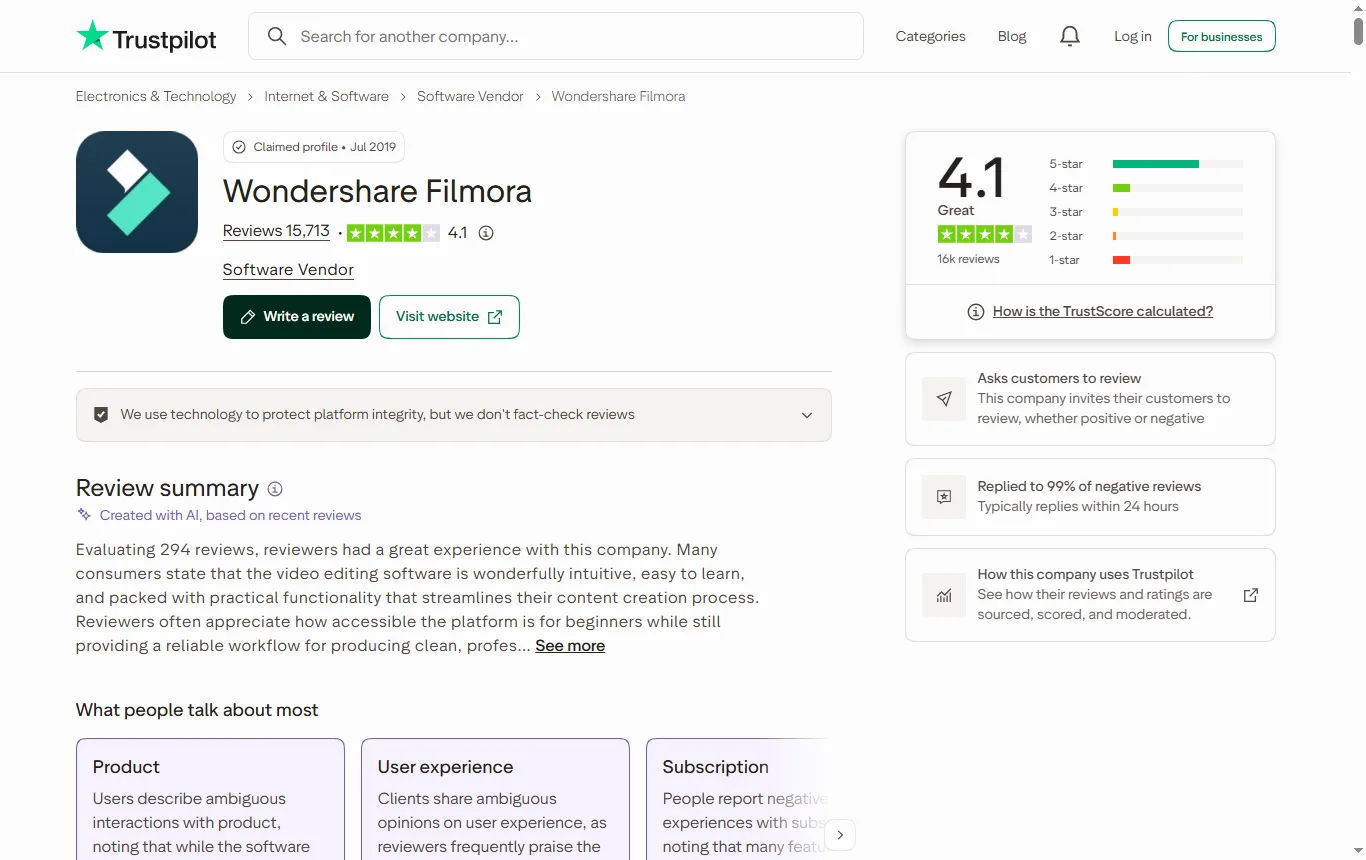
The UK Trustpilot page for Wondershare Filmora (October 2026) shows a TrustScore of 4.1 out of 5 from about 15,700 reviews, 536 of them in the last twelve months. The split is 66% five-star and 13% one-star. Trustpilot's AI summary, based on 297 recent reviews, says reviewers like the clean interface, easy-to-learn tools and the built-in effects, transitions and audio. It lists unexpected subscription charges and auto-renewals, paywalls on features that were previously free, effects that require extra payment and watermarks on exports among the complaints.
Among the recent reviews shown, several reviewers say refund requests were declined, one says they were charged after a one-year plan auto-renewed, and multiple users say lifetime licences stopped covering their use after a major version upgrade or after a feature moved behind a subscription. Some also describe difficulty reaching a human in support. The average score and the recent reviews do not tell quite the same story, so look at both. All of these are individual accounts, and Trustpilot does not verify the facts in them.
The lesson is consistent with the licence note above: know whether you are buying a subscription or a one-time licence, which version it covers and when it renews.
Is CapCut completely free?
CapCut's pricing page (capcut.com/pricing, October 2026) lists Free, Pro, Ultra and Teams plans. The Free plan is described as including "Free templates to start fast" and "Basic editing tools", while Pro adds monthly AI credits, access to AI features, premium templates and premium features, and 1 TB of storage. The page does not mention watermarks or export limits, so it does not answer the question completely. CapCut is not part of our partner selection and is not linked. If you are comparing, read the free-plan limits on the current page and look at how your exports look before you commit.
What is the best completely free video editor?
There is no universal answer, but there is one well-known free desktop option. Blackmagic Design's DaVinci Resolve page (blackmagicdesign.com/uk, October 2026) offers a free version, listed as handling most 8-bit formats at up to 60 frames per second and resolutions up to Ultra HD, with HDR grading and multi-user collaboration. The paid Studio version adds the AI Neural Engine, extra effects, noise reduction, text-based editing and 10-bit video up to 120 frames per second. It is a professional tool with a steeper learning curve than Filmora.
| Editor | Type | Free option, per the publisher's page | Better suited to |
|---|---|---|---|
| Filmora | Desktop, with mobile apps | Free version with a watermark on exports | Beginners who want templates and AI helpers |
| FlexClip | Browser-based | Free plan and watermark terms to check on its pricing page | Quick edits on several computers, no install |
| DaVinci Resolve | Desktop, professional | Free version, with the paid Studio version adding extras | People willing to learn a professional tool |
| CapCut | Desktop, mobile and web | Free plan with basic tools and templates | Quick social clips, after checking its export terms |
How to choose: pick the free editor that has no watermark and an export you can use, then judge how much time you want to spend learning it. A beginner editing family videos may prefer an easier interface and pay for it; someone who enjoys learning may be happy with a free professional tool.
Is there an online alternative to Filmora?
FlexClip is in our catalogue. Its homepage (October 2026) describes an AI-powered online video editor that works in the browser, with more than 6,000 templates, AI tools for video generation, text-to-speech, automatic subtitles, background removal and translation, a large library of videos, photos and music, and export up to 4K with cloud storage. The page does not mention a free plan or watermarks, so check those on its pricing page. Visit FlexClip ↗ Affiliate link
Choose a browser editor if you edit on several computers or do not want to install software. Choose a desktop editor if you work with large files or prefer offline editing. If your video needs a voice-over, our ElevenLabs review → looks at synthetic voices and their licence terms.

What about refunds and cancellation?
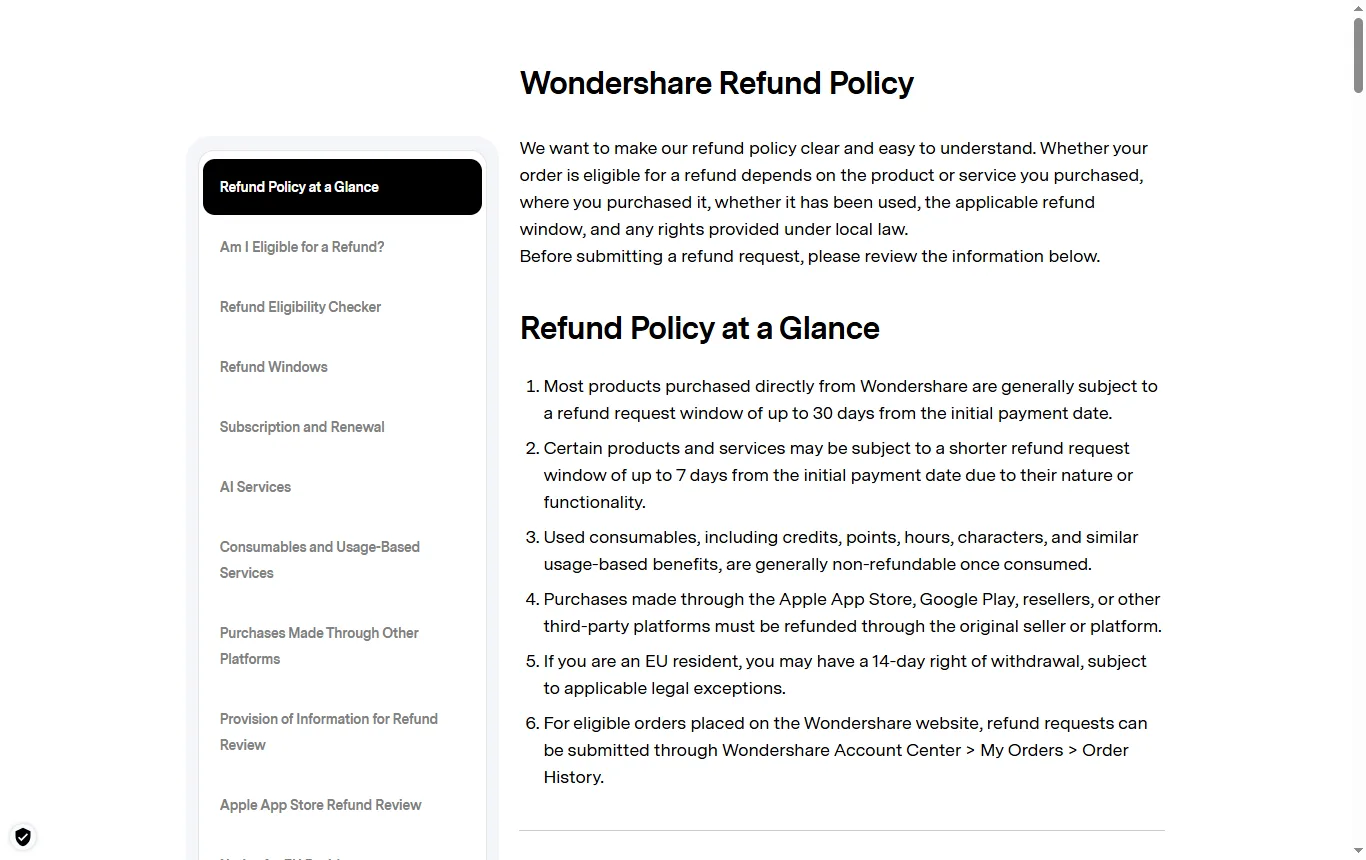
Wondershare's refund policy (October 2026) sets out the rules for purchases made directly from Wondershare:
- For most products, the refund request window runs up to 30 days after the initial payment, and some products have a shorter window of 7 days.
- Credits that have been used are not refunded.
- Purchases made through the App Store, Google Play or a reseller are handled by that seller.
- A renewal is not refundable if you did not cancel the subscription before the charge, and the 30-day guarantee does not extend to automatic renewal charges.
- Requests are made from the Account Center, under My Orders.
- For residents of the EU, a 14-day right of withdrawal may apply, subject to the legal exceptions. This is an EU rule, so do not assume it applies to a UK purchase.
The pricing page also states a 30-day money-back guarantee, subject to the refund policy. Read the policy for the deadline and the procedure before you buy.
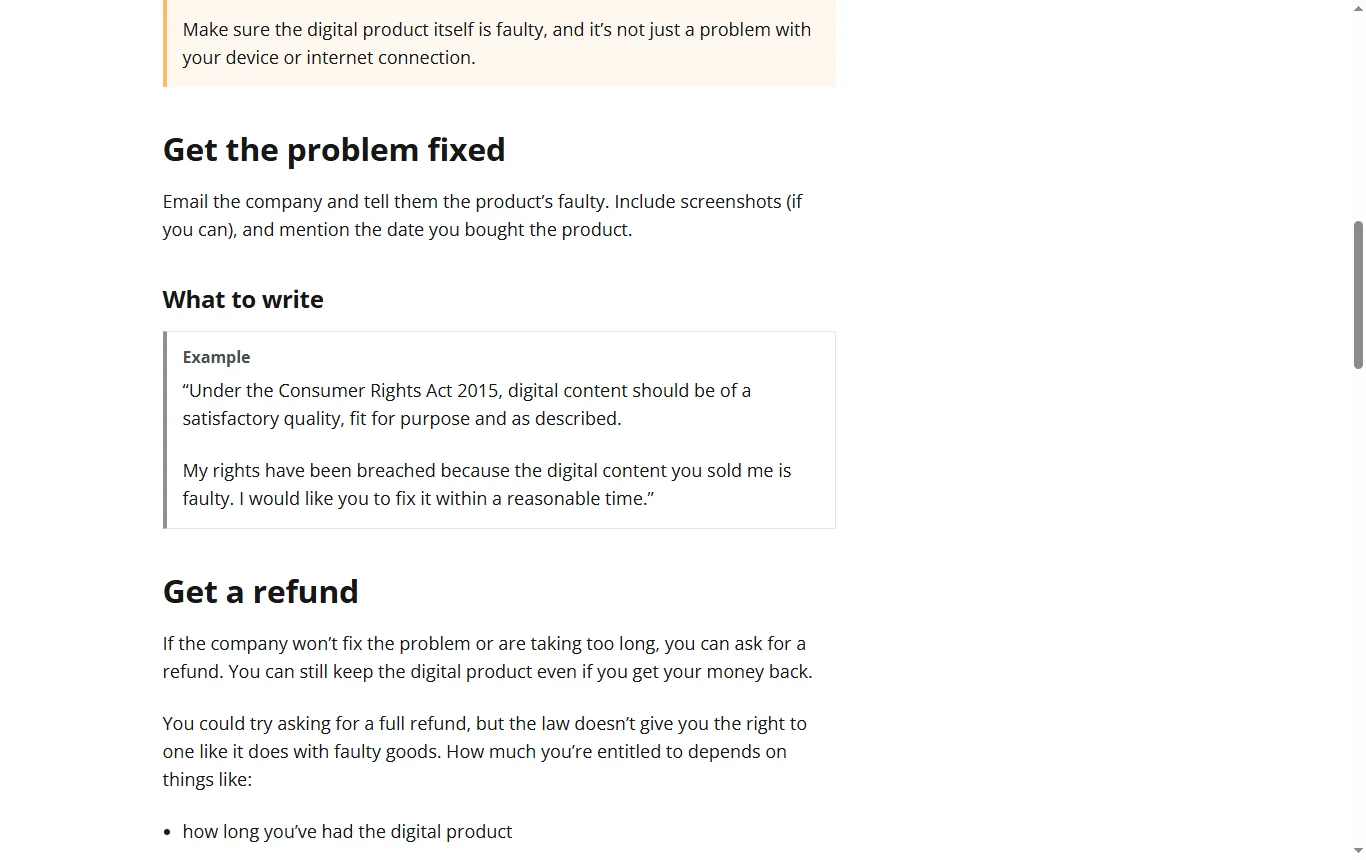
UK consumers have statutory rights as well. For software and downloads, Citizens Advice explains that digital content must be of satisfactory quality, fit for its purpose and as described. If it is faulty, you can ask for a repair or replacement within a reasonable time and then for a refund, though the law does not promise a full refund as it does for faulty goods; the amount depends on how long you had it, how much you used it and the problem. You may be owed compensation if faulty software damages your device, and a card payment can sometimes be challenged through a chargeback request. Keep your order confirmation and set a reminder a week before any annual renewal.
What should you check before you pay for Filmora?
- Do you want a subscription or a one-time licence, and for which version?
- Does the plan match your computer, since perpetual licences are tied to Windows or Mac?
- What does the watermark policy say for your plan, and is the export resolution enough?
- Are the AI features you need included, and how many credits do you get?
- Which assets are cleared for commercial use?
- When does it renew, and how do you cancel?
- What does the refund policy say, and who handled the payment (Wondershare directly, an app store or a reseller)?
If the video is meant to accompany a newsletter, our Brevo review → explains the email side.
Not sure? Tell us what you edit and on which computer
Frequently asked questions
Is Filmora free?
There is a free version, but exports carry a watermark according to Filmora's homepage. Paid plans export without it.
Is Filmora good for beginners?
Reviewers on Trustpilot praise its clean, easy-to-learn interface. Judge it yourself on a short project in the free version.
Is CapCut completely free?
CapCut's pricing page lists a free plan with basic tools and templates, alongside paid plans. It does not mention watermarks or export limits, so check the current page.
What is the best completely free video editor?
DaVinci Resolve offers a free version for desktop editing, with a steeper learning curve. Compare watermarks, export limits and ease of use before you choose.
Does Filmora renew automatically?
The pricing page says the annual Basic and Advanced plans auto-renew and can be cancelled at any time. Check the date and set a reminder.
Can I use Filmora videos commercially?
Filmora's homepage says some assets are cleared for commercial use and others, such as AI images and text-to-video output, are described as non-commercial. Check each asset and the licence.
See also
 ReviewKling AI free: what the free tier gives you and what it does notWhat Kling AI's free tier really offers: monthly credits, watermark, commercial rights, the terms on your uploads and how to cancel a paid plan.
 ComparisonBest plagiarism checker: free limits and how to read the scoreQuetext, Originality.ai and GPTZero compared on free limits, sources checked, languages and privacy, plus how to read a similarity score without panic.